PulseFolio
Your Parqet portfolio, right on your wrist
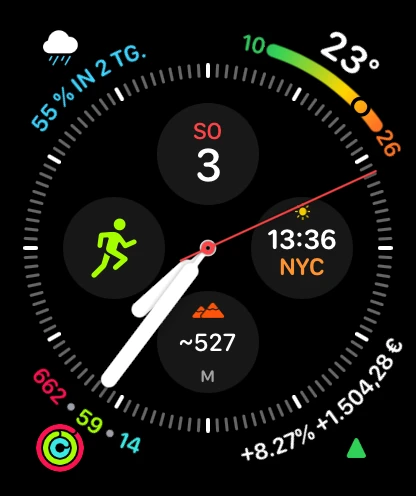
PulseFolio brings your Parqet portfolios to your Apple Watch — at a glance, right on your watch face. New: get a notification when your portfolio moves more than 1, 2, 3 or 5 % in a trading day, switch Anonymous Mode from Control Center, and keep your widgets fresh in the background. Combine several portfolios — or all of them — into one consolidated view of performance, holdings, dividends, and activity, even across different currencies, and give each portfolio a short custom name that appears everywhere. Portfolios with multiple broker sub-depots can now be viewed per sub-account too — pick a single sub-depot, or combine several, and rename them; the selection works on iPhone, Apple Watch, complications, and widgets alike. Add corner, circular, rectangular, or inline complications showing your gain/loss, return percentage, and trend indicator — with a sparkline on the Rectangular style, a magnitude-aware Circular gauge so small gains show small arcs, and a different portfolio per complication if you want. Move between 1D, 1W, MTD, and YTD with the Digital Crown, switch return metric (TTWROR or IZF/XIRR) directly on the watch, see both metrics side by side, and tap into the Stats view for the period high, low, drawdown, range, and a full return breakdown. The Statistics view also surfaces a market sentiment reading (0 extreme fear → 100 extreme greed) and the major US volatility indices, mirroring the new Markets tab in the iPhone app — which adds a one-year chart, seven Fear & Greed sub-indicators, and previous-close / 1W / 1M / 1Y comparisons with links back to the original publisher. On iPhone, the dashboard now also opens an interactive performance chart of your time-weighted return with touch scrubbing, an allocation donut, and a dividend breakdown — net, gross, and withholding tax with a per-holding split — and you can ask Siri for your latest numbers hands-free. Pull to refresh anytime — an "updated X minutes ago" timestamp keeps you honest — or let complications auto-refresh during market hours and surface in the Smart Stack. The companion iOS app adds a Watch sync status row, a setup checklist, sortable Top Holdings, an infinite-scroll Recent Activity feed, Preview Demo Data for trying things out without signing out, and a trend color palette (Classic, Color-Blind Friendly, or Monochrome). Settings sync live between iPhone and Watch with no relaunch needed, and OAuth 2.0 with PKCE means PulseFolio never sees your Parqet password. Available in English, German, French, Italian, Spanish, Portuguese, Danish, and Polish — and PulseFolio’s language can differ from your iPhone’s.