Two-Phase Cache Warming
Performs a cold pass to trigger cache generation, then a warm pass to measure cached response times. See exact improvement percentages and cache hit rates at a glance.

Warm Your Website Cache & Measure Performance
WebCacheWarmer is a native macOS tool that crawls websites to warm their page cache and verify cache effectiveness. It performs a two-pass crawl: the first pass visits every page to trigger cache generation and measure cold response times, the second pass re-visits pages to measure cached response times — giving you a clear before-and-after comparison of your cache performance. Includes CMS detection, sitemap discovery, cache header analysis, and a built-in static site downloader.
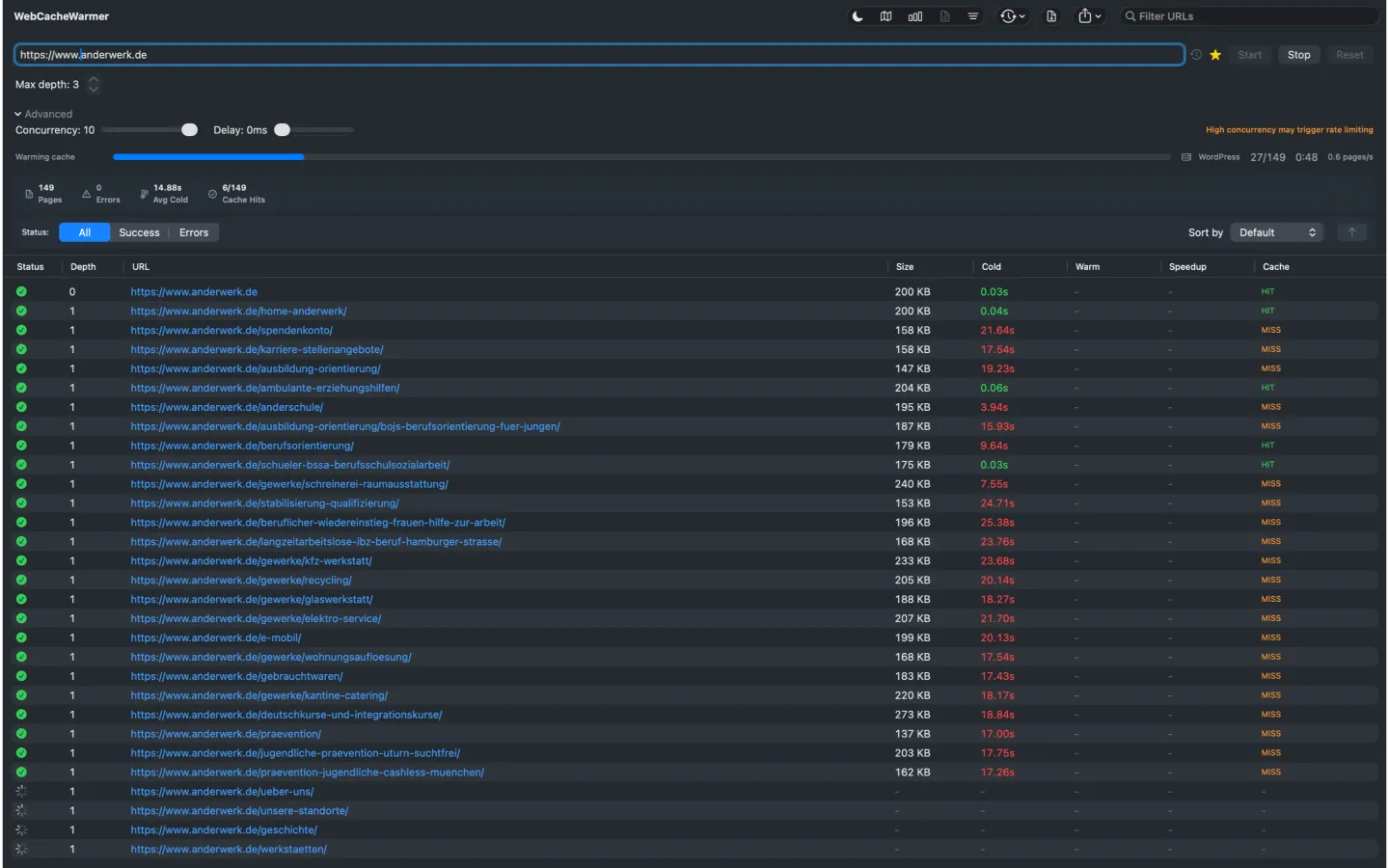
Performs a cold pass to trigger cache generation, then a warm pass to measure cached response times. See exact improvement percentages and cache hit rates at a glance.
Monitor pages crawled, errors, average cold and warm response times, improvement percentage, and cache hit rate — all updated live during the crawl.
Automatically detects the content management system behind the website, including WordPress, Drupal, Shopify, TYPO3, Magento, and over 10 other platforms.
Automatically discovers sitemaps from robots.txt with a built-in sitemap viewer and XML export functionality.
Inspects Cache-Control, X-Cache, CF-Cache-Status, Age, ETag, Varnish, and LiteSpeed headers to give you detailed insight into your caching setup.
Export complete crawl results with full cache header details in CSV, Excel (XLSX), or JSON format for further analysis.
Download entire websites as static offline copies with resume and incremental mode. Includes a built-in web preview to browse downloaded sites.
Schedule automatic re-crawls at 1, 4, 12, or 24-hour intervals to keep your cache consistently warm.
WebCacheWarmer crawls your website in two passes: first to trigger cache generation (cold pass), then to verify cache effectiveness (warm pass). It measures response times before and after caching, showing you exactly how much your cache improves performance.
WebCacheWarmer is available for macOS 15.0 (Sequoia) or later and can be installed directly from the Mac App Store.
Yes. All crawling and analysis happens locally on your Mac. WebCacheWarmer does not send any data to third-party servers. The only network traffic is the HTTP requests to the websites you choose to crawl.
WebCacheWarmer can detect WordPress, Drupal, Shopify, TYPO3, Magento, Joomla, Wix, Squarespace, Ghost, Hugo, Jekyll, and many more content management systems.
Yes. WebCacheWarmer fully respects robots.txt directives including crawl-delay settings. It uses the longest-path-match-wins strategy for accurate compliance.
Currently, WebCacheWarmer is available in English only.
Warm Your Website Cache & Measure Performance
For the latest features and detailed information, please visit the app on its store page.
WebCacheWarmer is a developer utility for testing cache configurations and website performance. It is provided as-is without warranty. Always ensure you have permission to crawl a website before using this tool. The app respects robots.txt directives. WebCacheWarmer is not affiliated with any CMS platform, CDN provider, or hosting service.